Preparation
Read Safety, then install the follower first. USB is for communication; motor power comes from the product's 7.5 V, 5 A adapter. Check the rating, polarity, and connector on the product label. If they do not match, do not connect power; contact support.
Installation sequence
- Assemble the arm and base board. Use the four supplied screws to attach the arm to the base board in the orientation you choose. Tighten the four screws evenly, alternating between them.
- Secure the base board. Place it on a flat, rigid workbench and secure it against movement.
- Inspect assembly and cables. Check that all four screws are tight, and inspect the arm and cables for damage.
- Connect USB. Use USB data cables between the computer and each arm.
- Connect the power adapter. Check polarity and the connector, then connect the product's 7.5 V, 5 A adapter.
- Check the physical cutoff. The operator must be able to disconnect motor power immediately.
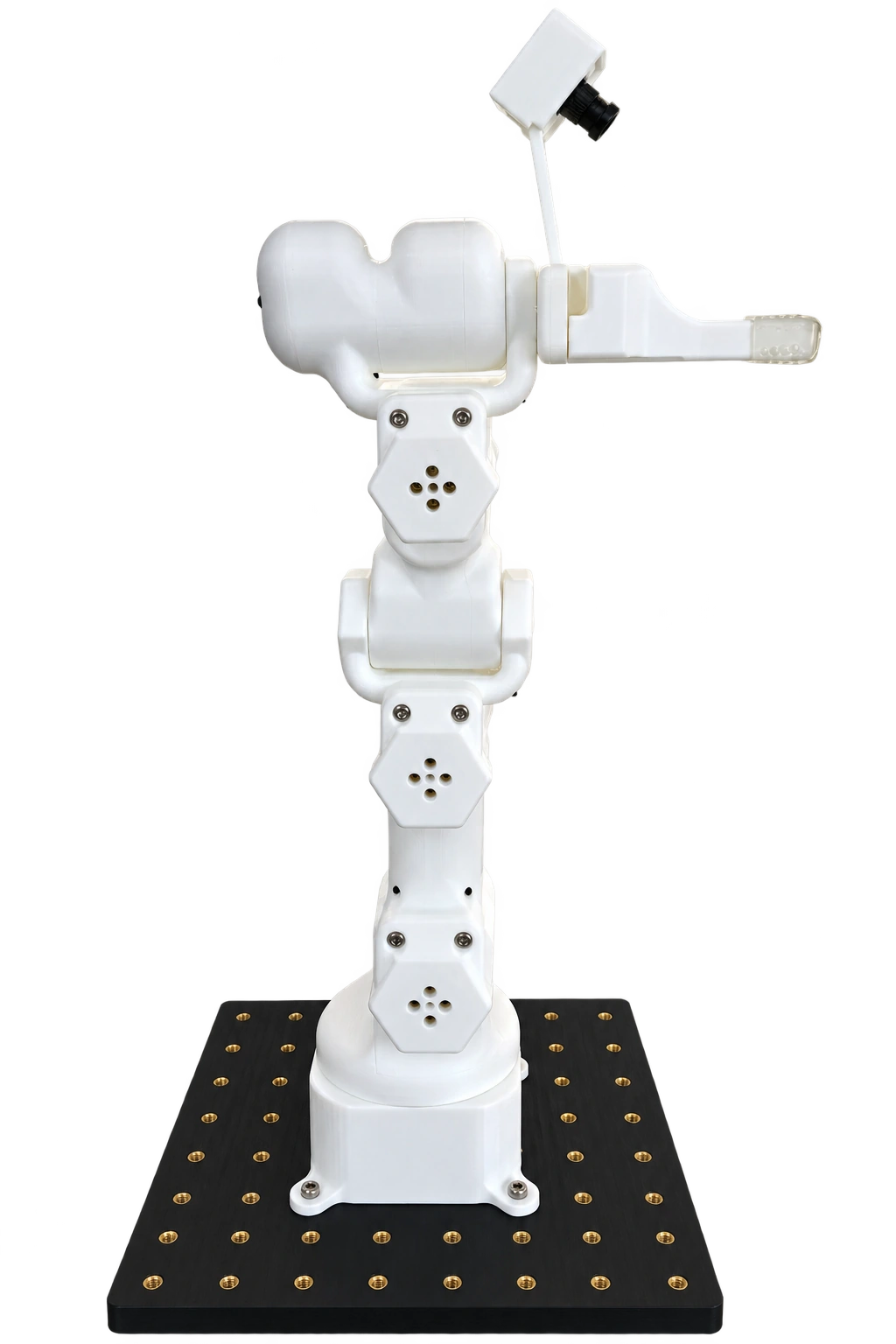
White follower mounted on its base board
Follower connection paths
| From | Connection | To | Purpose |
|---|---|---|---|
| Computer | USB data cable | Follower | Communication |
| Product 7.5 V, 5 A adapter | Motor power cable | Follower | Motor power |
Do not supply motor power through USB. Do not use an alternative supply or change polarity or connectors on your own.
Route cables outside the joint motion range with enough slack. Do not pull connectors. Secure cables so that they are not under tension. Continue with Arm identification and connection.